Day by Day: What Happens During a 12testers Closed Test
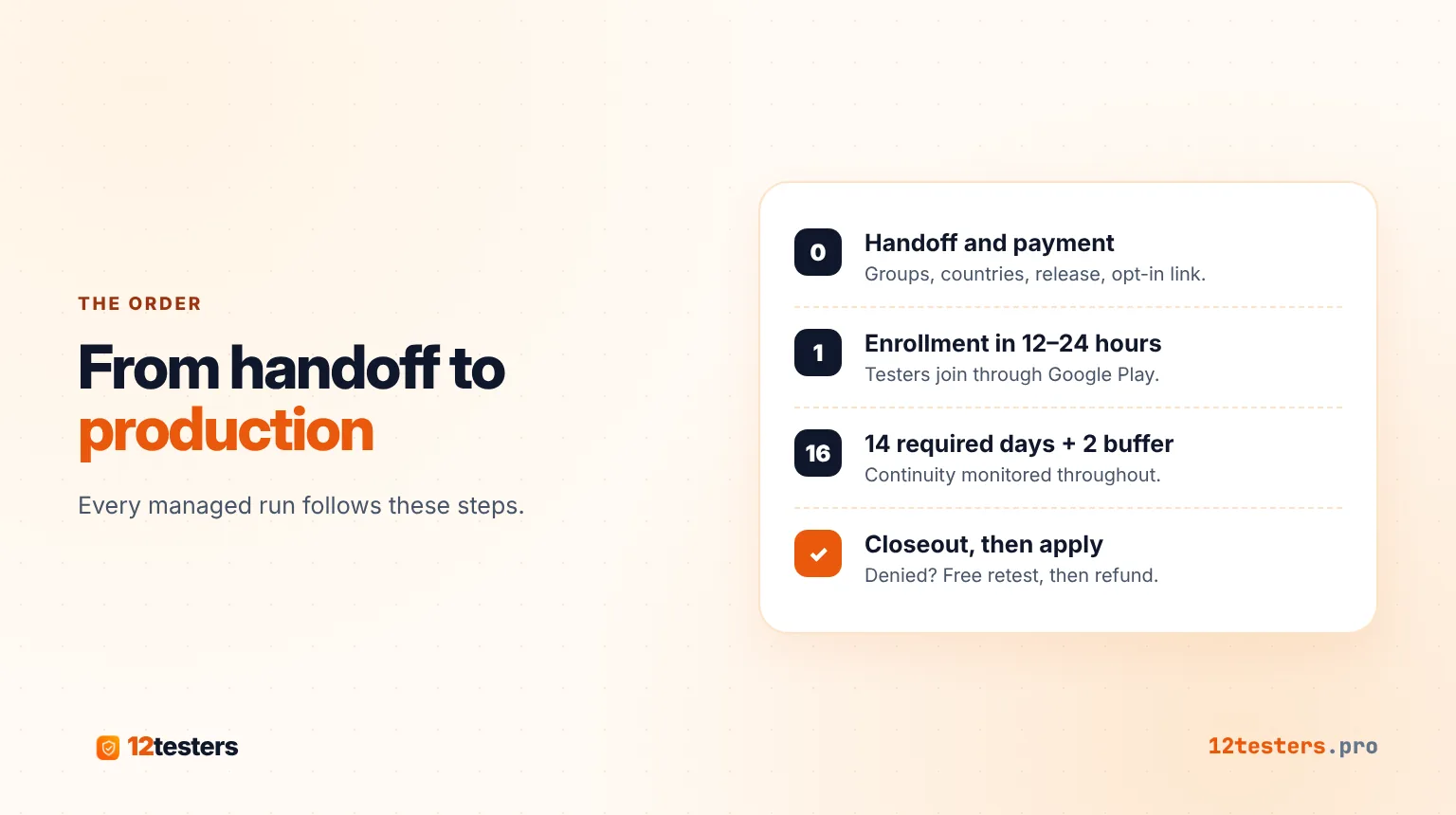
A 12testers run follows the same path every time: handoff, enrollment, 14 required days, a 2-day buffer, closeout, and your production application, with a free retest if Google says no.
How long does a 12testers closed test take?
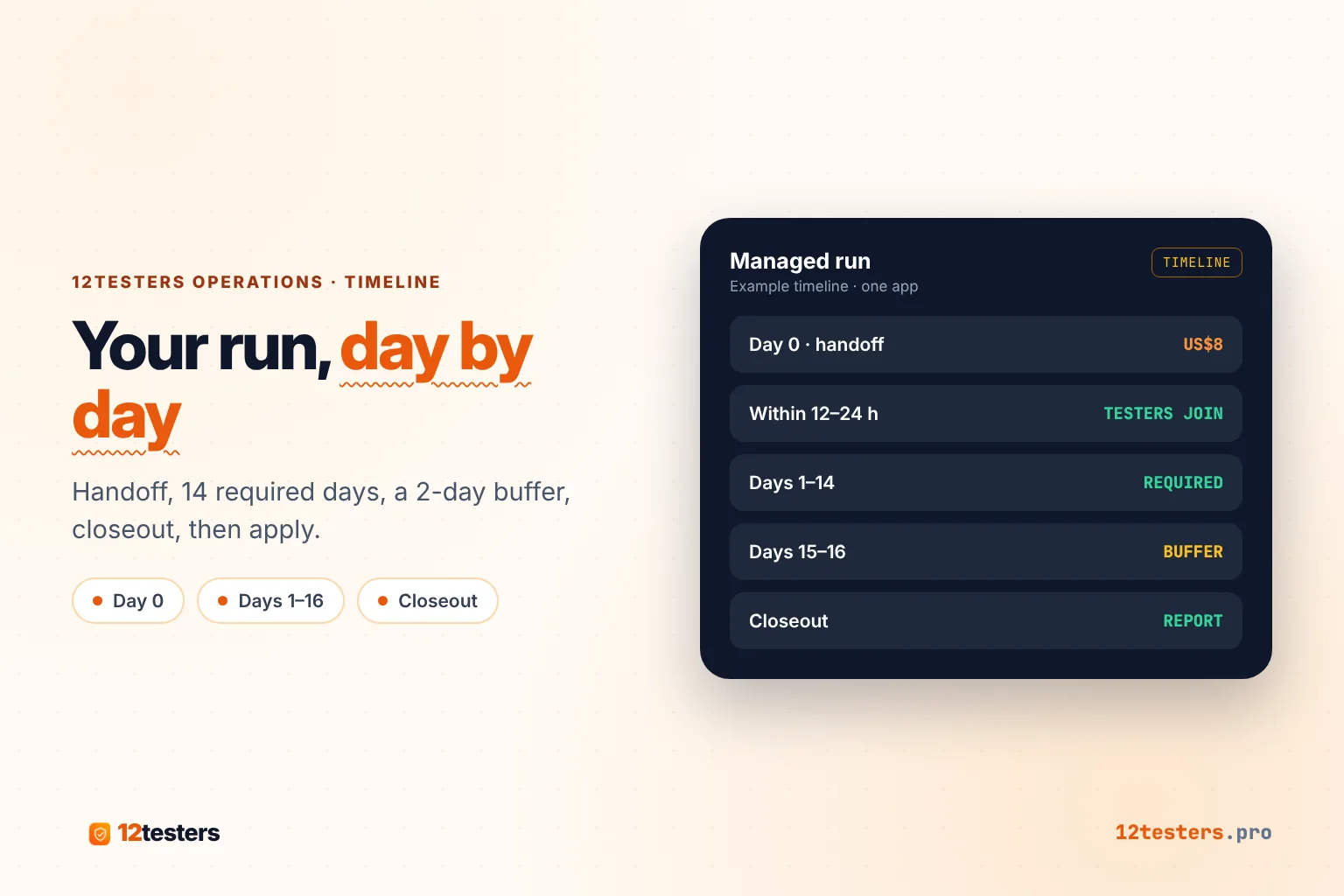
About 17 days: up to a day to enroll, 16 monitored days (Google’s 14 plus a 2-day buffer), then the closeout report. Google’s review follows.
The buffer means a late opt-in or a drop-off does not reset your progress.
Google’s production-access review happens after that and is outside our control; Play Console shows its status.
Day 0: Handoff
You add our two tester Google Groups to your closed track, target all countries, publish the release, and paste the web opt-in link into your workspace. Then you review the US$8 total and pay through secure checkout.
Days 1–16: Enrollment, required window, and buffer
After we verify the route, our 14 testers, each on their own Android device, usually start joining within 12 to 24 hours. They install from Google Play and use the app while we monitor opt-in continuity and flag any access problem that needs your action, such as an expired test login.
Days 1 to 14 cover Google’s requirement. Days 15 and 16 are buffer, so you are not one drop-off away from starting over.
After day 16: Closeout, application, and the guarantee
You receive a closeout report with the continuity record and findings. Use it to answer the production-access questions honestly, then apply in Play Console once your dashboard shows you are eligible.
If Google denies production access after your 12testers run, we retest for free. If the retest still isn’t approved, you get a full refund. The same rule applies to every app.
Frequently Asked Questions
How long does closed testing take with 12testers?
About 17 days end to end: enrollment within 12 to 24 hours, then a 16-day managed window covering Google’s 14 required days plus a 2-day buffer. Google’s production review follows.
Can I update my app during the test?
Yes. Push fixes to the same closed track. Testers stay opted in, and documented fixes strengthen your production-access answers.
What if a tester cannot access the app mid-run?
We flag access problems during monitoring, such as an expired test login or an untargeted country, so you can fix them before they affect continuity.
Official sources
- Google Play Console Help: App testing requirements for new personal developer accounts
- Google Play Console Help: Set up an open, closed, or internal test
Last checked Nov 20, 2026. Your Play Console account status remains authoritative.